This post is for iOS developers. After modernizing a seven-year-old app, AdMob, the camera, and text-to-speech started fighting over the audio session, and two problems appeared at once: music muting right after launch, and music never resuming after a title was read aloud. The cause was a known Apple bug (FB14444620) where text-to-speech never deactivates the shared session, and a one-line workaround fixed it. Here's all eleven rounds of trial and error, across builds 19 through 29.
What you'll get from this post
- How AdMob, the camera, and speech synthesis end up fighting over the audio session, and how to resolve it
- A workaround for the known Apple bug FB14444620 (speech synthesis not deactivating the shared session)
- Why fixing the code wasn't enough to verify it without rebooting the device
Background: which app is this?
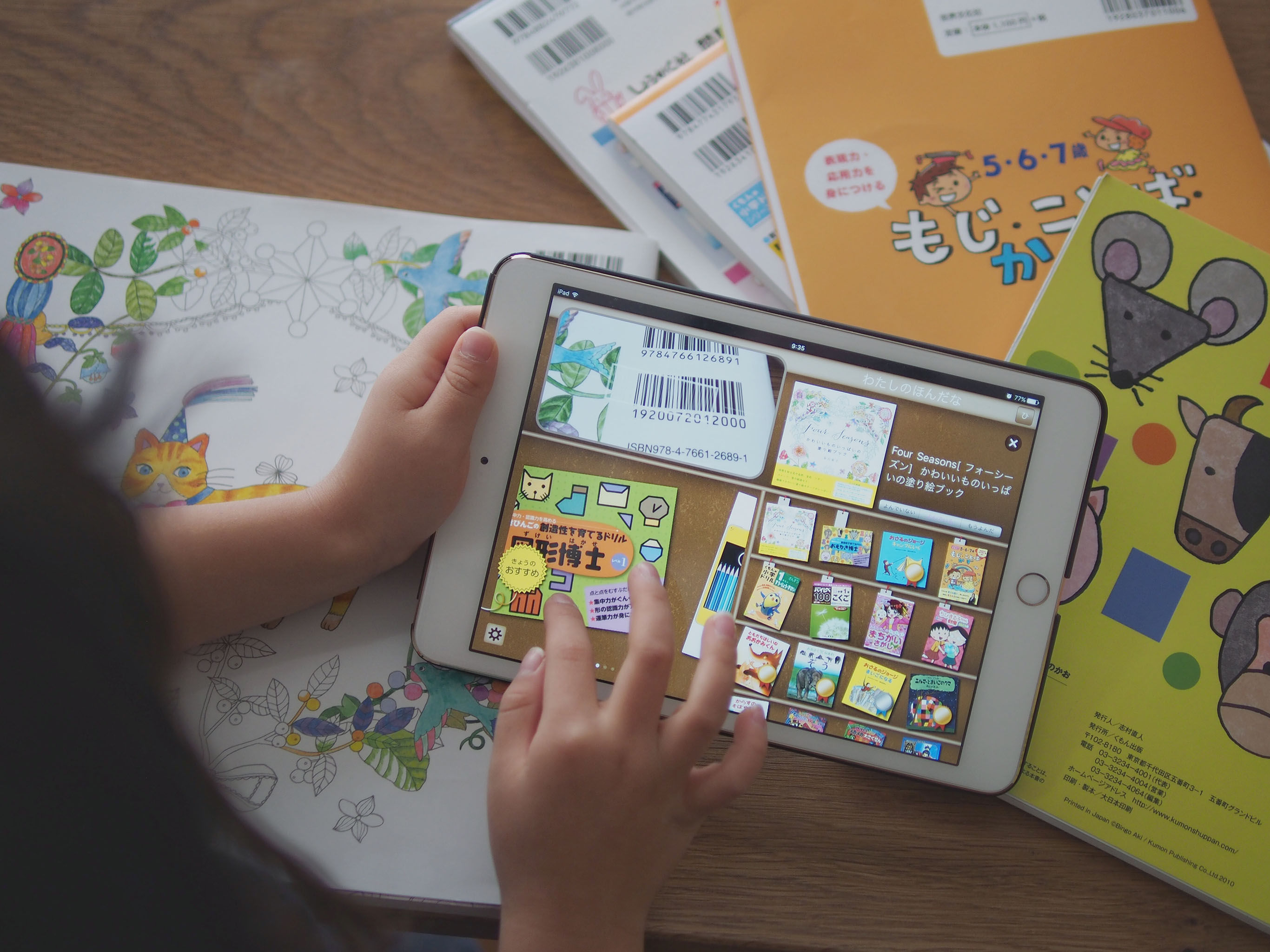
My Bookstore is an iOS reading management app released in 2017. After migrating the whole codebase to Xcode 26 / Swift 6 / SPM in v3.0.0, v3.1.0 was meant to be a small three-part release: refreshing the Amazon affiliate URLs, re-enabling AdMob, and adding Firebase Analytics.
When I went to verify AdMob on a real device, seven years of untouched speech-synthesis and camera code surfaced all at once. It turned into eleven cycles, builds 19 through 29. Builds 19–24 cleared out the camera and permissions problems; builds 25–29 were the fight with the audio session.
A three-way tug of war over the audio session
Two symptoms appeared together.
- Music already playing on the system gets muted right after launch
- After a barcode scan reads a book title aloud, the music never resumes
Three players, all fighting over the same AVAudioSession.sharedInstance().
| Component | How it interferes with the audio session |
|---|---|
| GADMobileAds.start() (AdMob) | Overwrites the category with .soloAmbient internally (known AdMob behavior in this era) |
| AVCaptureSession (camera) | Tries to configure the audio session automatically by default |
| AVSpeechSynthesizer (speech) | Activates the shared session on every speak(), but never deactivates it afterward |
The trial-and-error log (builds 25–29)
| Build | What I tried | Result |
|---|---|---|
| 25 | AVCaptureSession.automaticallyConfiguresApplicationAudioSession = false |
No effect |
| 26 | Set .ambient + audioSessionIsApplicationManaged = true at launch, before AdMob |
No effect |
| 27 | setActive(false, .notifyOthersOnDeactivation) in didFinish |
No effect |
| 28 | Pre-activate the shared session before speak() |
Backfired (symptoms got worse) |
| 29 | synthesizer.usesApplicationAudioSession = false |
Fixed |
The cause: known Apple bug FB14444620
Apple's documentation says that calling setActive(false, .notifyOthersOnDeactivation) lets other apps resume. That's correct. But AVSpeechSynthesizer doesn't remember that it activated the session, and never calls deactivate when it's done. It isn't in the official documentation, but it's a known issue (FB14444620) that Apple engineers have acknowledged on the Apple Developer Forums, along with a workaround.
The fix: detach the synthesizer from the shared session
// Keep the synthesizer away from the shared audio session
synthesizer.usesApplicationAudioSession = false

// Signal other apps that they may resume once speech finishes
func speechSynthesizer(_ synthesizer: AVSpeechSynthesizer,
                       didFinish utterance: AVSpeechUtterance) {
    try? AVAudioSession.sharedInstance().setActive(
        false, options: .notifyOthersOnDeactivation)
}

func speechSynthesizer(_ synthesizer: AVSpeechSynthesizer,
                       didCancel utterance: AVSpeechUtterance) {
    try? AVAudioSession.sharedInstance().setActive(
        false, options: .notifyOthersOnDeactivation)
}
With usesApplicationAudioSession = false, the synthesizer uses its own private session and stops interfering with the shared one.
Every fix in builds 25–28 was something Claude Code committed believing it would work, and on the device the music never came back once — because the code was wrong. Even after the build 29 code went in, the same symptom persisted at first; rebooting the device made it behave. The audio session state had been left behind in the OS, and the reboot cleared it. Even with correct code, you can't verify it without rebooting the device — that was the final lesson.
Other fixes
No preview after granting camera permission
AVCaptureSession.startRunning() can't run on the main thread, so I was calling it on a dedicated background queue — but setupCameraLayout() (repositioning the preview UIView) was being called on that same queue afterward. UIKit work is main-thread only, and that's why the preview never appeared.
sessionQueue.async {
    self.captureSession.startRunning()
    DispatchQueue.main.async {
        self.setupCameraLayout()   // hop back to the main thread for UI work
    }
}
A pile-up of prompts on first launch
Back when this shipped seven years ago, the only consent prompt iOS really put up was camera permission. Since then Apple has added ATT (ad tracking), notification permission, and location, year after year. It's easy to miss while an old app just keeps running, but the moment you modernize it and pick up a real device, four dialogs fire in a row — that isn't a bug in the code, it's the "consent debt" that iOS migration exposes.
The four that showed up: camera access (barcode scanning), ATT (AdMob's ad tracking), location (a feature that finds nearby physical libraries), and notification permission — all in a row on first launch. How I restructured it:
- Notifications: deferred to the second launch onward (on first launch the user doesn't yet understand what the app is for)
- Location: requested only when the library-search button is tapped
- ATT: called in
applicationDidBecomeActive(timing that doesn't collide with camera permission)
FAQ
Q. Does the music-stopping text-to-speech problem depend on the iOS version?
A. FB14444620 shows up particularly from iOS 17 onward. Part of it also depends on the combination with your AdMob SDK version, so try usesApplicationAudioSession = false first.
Q. Are there side effects to setting usesApplicationAudioSession = false?
A. The synthesizer uses a private session, so you no longer need to coordinate categories with other audio. If you want background music mixed in during speech you'll need to adjust, but if your only goal is "bring the music back after speaking," there are essentially no side effects.
Q. What if the symptom persists even with the build 29 code?
A. Reboot the device fully and check again. The audio session state lingers in the OS, and restarting the app alone doesn't always clear it.
※ The steps and code in this post were verified at the time of writing (May 2026) on Xcode 26 / iOS 17 / AdMob SDK 11.x. Behavior may change with different library versions. If something doesn't work, let me know in the comments.
Wrap-up
Picking up a real device to verify v3.1.0 turned into eleven TestFlight submissions. The root cause was a known Apple bug (FB14444620) where text-to-speech doesn't deactivate the shared audio session, and one line — usesApplicationAudioSession = false — fixed it. Porting a seven-year-old design as-is is what made it surface for the first time, under the new combination of iOS 17 and AdMob.
If this post was useful, I'd be glad if you shared it on X (Twitter).
App by the author of this blog
I made an iOS reading management app called My Bookstore. Simple bookshelf management — give it a try.
Related posts
- 6 Days Reviving a 7-Year-Old iOS App with Claude Code and Shipping It to the App Store [Xcode 26 / Swift 6 / v3.0.0]
- Build & Ship iOS Apps to TestFlight via SSH from Your Smartphone [SSH + build keychain, 2026 Edition]

No comments:
Post a Comment