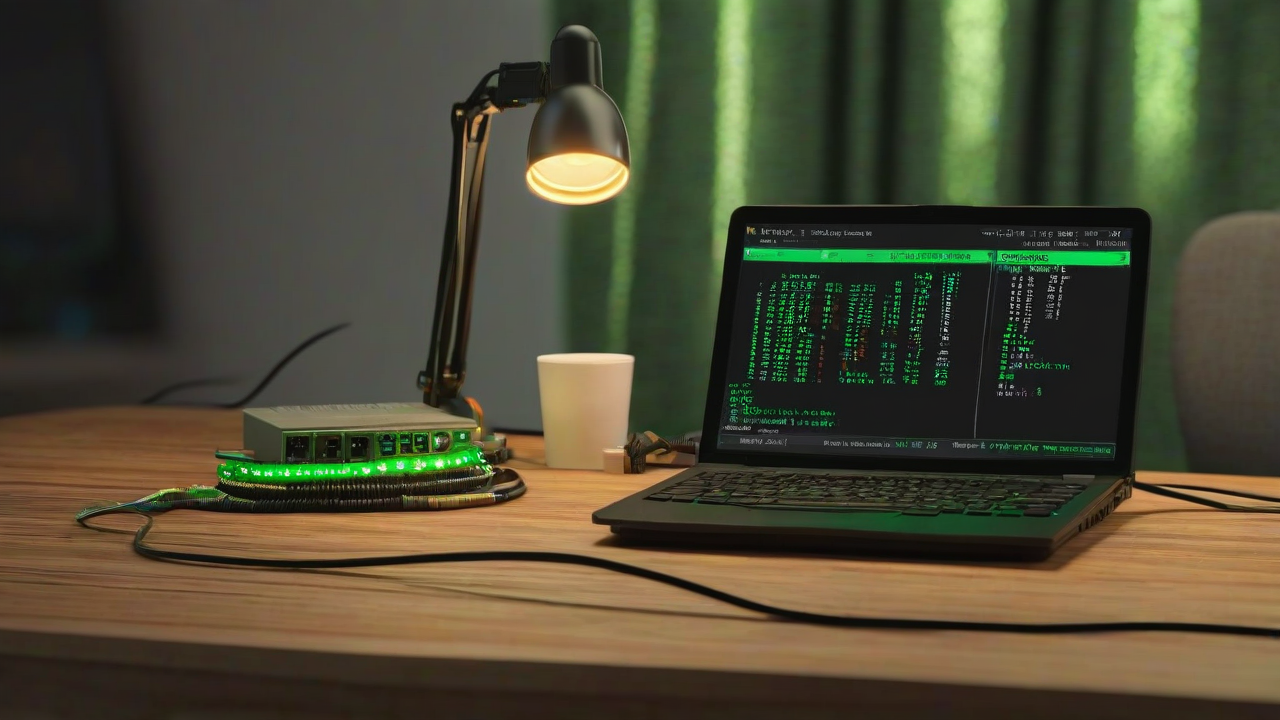
This article is for engineers who want to continue developing from their home machine cluster via Claude Code, from a smartphone while out and about. Combining tmux + Tailscale + Termius, I turn an old laptop into a connection hub and Claude Code home base, then route out to a GPU machine, an iOS dev Mac, and always-on Raspberry Pi as needed. The article also covers running separate tmux sessions per project.
What you can do with this
- Connect to a Claude Code session running at home from a smartphone (iPhone or Android) while out and about
- Use the hub laptop to route between a GPU machine, Mac, and Raspberry Pi based on what each project needs
- Keep each project in its own independent tmux session so image generation, iOS dev, and trading bot work never mix together
- tmux persistent sessions mean work keeps running even if your phone screen goes off
- All you need is one old laptop + a smartphone. No VPS monthly fee, no port forwarding required
3 approaches compared
Where you put Claude Code determines how the architecture behaves. The hub-centric approach in this article concentrates Claude Code in one home-base machine and offloads heavy processing and OS-specific dev work to peripheral machines via ssh. It sits between the single-machine-does-everything approach and the distributed approach where each machine runs its own Claude Code instance.
| Setup | Hub-centric (this article) |
Single Mac does everything | Distributed (Claude Code on every machine) |
|---|---|---|---|
| Machines needed | N peripheral machines + 1 hub | 1 high-spec Mac | N task-specific machines |
| Stability under multiple parallel projects | ○ | ✕ | ○ |
| Cross-function workflows | ○ | ○ | ✕ |
| Tailscale node count | 2 | 2 | N+1 |
Reading the table reveals the tradeoffs. Consider the cross-function workflow generate image with SDXL → incorporate into iOS app assets → archive on Mac — what happens with each approach?
- Single machine: everything stays in one place, so cross-function workflows are easy. But a GPU-capable Mac capable of handling image generation requires M3 Max / M4 Max class hardware — not a realistic initial cost. Heavy image generation often causes resource contention that stalls coexisting trading bots and IDEs.
- Distributed: each machine is independent, so parallel stability is high. But since each machine's Claude Code is siloed, cross-function workflows require you to manually decompose and hand off tasks every time — "image ready → hand to Mac → build."
- Hub-centric: combines both parallel stability and cross-function workflows. One Claude Code session can move files between machines via ssh +
scp/rsync, so you can hand an entire cross-function workflow to Claude Code in a single request. The cost compared to distributed is one extra hub machine, but a low-spec spare laptop works fine — so the incremental cost is minimal.
Architecture diagram
Termius app
Tailscale (WireGuard)
WSL2 + tmux × N sessions + Claude Code
▼ ▼ ▼
Image gen / LLM inference
iOS / macOS dev
Always-on bots
Only the smartphone → hub leg uses Tailscale. The hub reaches peripheral machines via LAN-internal ssh. Keeping peripheral machines off Tailscale means no Tailscale daemons or MagicDNS names on the high-spec hardware, and all external connection points are consolidated at the hub.
What I use
- Hub laptop: a 7th–10th gen Core i5 / 8 GB RAM is enough. Dead battery is fine — just run on AC. Always powered on
- GPU machine (optional): only needed if you want to offload image generation or AI inference. I use a mini PC with a GTX 1660 SUPER
- Mac (optional): only needed for iOS / macOS app development. A Mac mini or old MacBook that runs Xcode is fine
- Raspberry Pi (optional): for lightweight always-on bots. I put investment simulation, MQTT broker, and cron tasks here
- Smartphone: iOS or Android. A Bluetooth keyboard helps for long sessions
- Termius: the free plan handles ssh + key management. Pro is only needed if you want settings sync across multiple devices
- Tailscale: installed only on the hub and smartphone — 2 nodes. WireGuard-based mesh VPN, free for personal use (up to 100 devices)
- tmux: handles persistent sessions. One
aptcommand on Ubuntu - WSL2 (if hub is Windows): runs a Linux environment inside Windows
Steps
1. Install WSL2 + sshd + tmux on the hub
If the hub is Windows, open PowerShell as admin and install WSL2 + Ubuntu:
wsl --install -d UbuntuEnable systemd inside WSL2 so sshd can be managed with systemctl. Add the following to /etc/wsl.conf and restart with wsl --shutdown:
[boot]
systemd=true
Then install sshd and tmux inside WSL2:
$ sudo apt update
$ sudo apt install -y openssh-server tmux
$ sudo systemctl enable --now ssh
If the hub is Linux, that's it. If it's a Mac, brew install tmux + enable Remote Login in System Settings.
2. Install Tailscale only on the hub and smartphone
Create a Tailscale account (login with Google / GitHub / Microsoft). Add only 2 nodes: the hub and the smartphone. The GPU machine, Mac, and Raspberry Pi stay inside the LAN — Tailscale goes nowhere near them. This is the core of the hub-centric approach: no Tailscale daemons on high-spec hardware, and all external ingress points consolidated at one hub.
Install Tailscale on the hub (Linux / WSL2):
$ curl -fsSL https://tailscale.com/install.sh | sh
$ sudo tailscale up
Open the displayed URL in a browser to approve, and the hub joins the Tailscale network. On the smartphone, install the Tailscale app from the App Store or Google Play and log into the same account.
In the Tailscale admin console, the hub gets a MagicDNS name like laptop-host. From anywhere, ssh {username}@laptop-host reaches the hub. No MagicDNS names are assigned to the GPU machine, Mac, or Raspberry Pi — name resolution beyond the hub stays LAN-internal as described in step 5.
3. Create a persistent tmux session on the hub
SSH into the hub and create a session named claude:
$ tmux new -s claudeLaunch the claude command (Claude Code CLI) inside this session. Detach with Ctrl-b → d. Even if you close Termius on your phone, this tmux session keeps running server-side.
To reconnect:
$ tmux attach -t claude4. Register the hub as a host in Termius
Open Termius on your phone and add a new host:
- Hostname:
laptop-host(Tailscale MagicDNS name) or the Tailscale IP (100.x.y.z) - Username: your hub username
- Auth: the easiest option is using the SSH key Termius generates. Copy the generated public key to
~/.ssh/authorized_keyson the hub
After connecting, type tmux attach -t claude and your Claude Code screen is back. Register this as a Termius snippet and you can reconnect in one tap.
5. Distribute the hub's public key to peripheral machines (passwordless)
Standardize hub → peripheral machine ssh on passwordless public-key auth. Claude Code can stall if it gets interrupted by a password prompt mid-task — with key auth, ssh gpu-host command completes in a single line.
Generate one ed25519 keypair on the hub (skip if you already have one) and distribute the same public key to each peripheral machine's ~/.ssh/authorized_keys:
$ ssh-keygen -t ed25519 -f ~/.ssh/id_ed25519     # skip if already exists
$ ssh-copy-id {user}@{gpu-host}
$ ssh-copy-id {user}@{mac-host}
$ ssh-copy-id {user}@{pi-host}
One key on the hub gives cross-machine access to the GPU machine, Mac, and Pi. Since Claude Code runs on the hub, this means Claude Code can use every peripheral machine freely.
Conversely, if you want to prevent Claude Code from touching a specific machine, just remove the relevant line from that machine's authorized_keys. The hub's key and ~/.ssh/config stay untouched — you can cut off a specific machine surgically, after the fact.
6. SSH from the hub to peripheral machines
Peripheral machines aren't on Tailscale, so reach them from the hub via LAN-internal ssh. Enable avahi-daemon (mDNS) on Linux / Mac / Raspberry Pi and you can reach them at {gpu-host}.local / {mac-host}.local / {pi-host}.local. If avahi isn't available, assign a static IP via the router's DHCP reservation and add a Host {gpu-host} entry to the hub's ~/.ssh/config — same short-name access.
For heavy jobs, SSH into the peripheral machine from a separate tmux window or pane and start the process from there:
# Open a new window in the hub's tmux
$ ssh {gpu-host}
# Launch heavy processing there
$ python sdxl_batch.py
# detach: Ctrl-b d
For iOS development, Claude Code on the hub can edit Xcode project source files directly via ssh {mac-host} (building is done by running xcodebuild on the Mac side). Always-on Raspberry Pi bots follow the same pattern: SSH in from the hub, check logs, patch code.
Separate tmux sessions per project
Running a single Claude Code session on the hub means image generation jobs and iOS dev conversations flow into the same tmux window and interfere with each other. Keeping independent tmux sessions per project lets you switch between them from your phone.
Session startup scripts
I keep a ~/start_claude_<project>.sh startup script in my hub's home directory for each project. They're all the same template with different names:
#!/bin/sh

NAME=claude_blog

if [ -n "$SSH_CONNECTION" ] && command -v tmux &>/dev/null; then
    if tmux has-session -t $NAME 2>/dev/null; then
        # session exists — auto-attach
        tmux attach -t $NAME
    else
        # doesn't exist — create it
        tmux new-session -s $NAME
    fi
fi
Two key points: SSH_CONNECTION environment variable ensures tmux only activates when connecting via ssh (not from cron or direct logins), and has-session makes reconnection idempotent — the same script handles both first run and re-attach.
Sessions I actively run
| Script | tmux session name | Purpose | Primary target machine |
|---|---|---|---|
start_claude_blog.sh | claude_blog | Auto blog generation | Hub itself |
start_claude_image.sh | claude_image | Image generation pipeline maintenance | GPU machine |
start_claude_ios.sh | claude_ios | iOS app development | Mac |
start_claude_sim.sh | claude_sim | Investment simulation | Raspberry Pi |
Each session has its own purpose and target machine. Once inside a session, navigate to the right place with cd ~/projects/<project> or ssh <target-host>.
Termius snippet workflow
Termius lets you save "snippets" that run after connecting. Set up one per project and you can launch the right session in one tap right after SSHing to the hub:
# Snippet name: blog
bash ~/start_claude_blog.sh

# Snippet name: image
bash ~/start_claude_image.sh

# Snippet name: ios
bash ~/start_claude_ios.sh
Alternatively, create separate aliases for the same host in Termius with the relevant snippet as each one's "Startup snippet" — then you can jump straight to a project-specific session from the host list.
Hack extension ideas
- Add mosh: dramatically easier reconnection when the signal cuts out briefly (subway tunnels, etc.). Requires the Termius Pro plan
- Voice input: switch your phone's IME to voice input and speak directly into the Termius input field. Great for long prompts
- Change tmux key bindings:
Ctrl-bis awkward on a soft keyboard — change the prefix toCtrl-ain~/.tmux.conf - Restrict Tailscale ACL to phone → hub only: limit allowed routes in the Tailscale network to a single path. The GPU machine and Mac aren't on Tailscale at all, so a stolen phone only reaches the hub
- Notify on long-running jobs: send job completion notifications from inside tmux to Slack or LINE Notify so you know when things finish while you're out
Common sticking points
- WSL2 dies when idle: WSL2 stays alive as long as something is running inside tmux — but an empty session can stop after a few minutes. Always run something inside
tmux new -s claude - WSL2 sshd conflicts on port 22: if it clashes with the Windows-side OpenSSH, set
Port 2222in/etc/ssh/sshd_config. Also update the port in Termius's host config - Tailscale MagicDNS doesn't resolve: check that MagicDNS is ON in the admin console. When it's off, you can only connect using the numeric IP (
100.x.y.z) - tmux scrolling doesn't work on mobile: press
Ctrl-b→[to enter copy mode, then scroll with your finger start_claude_*.shdoesn't launch over ssh: won't fire unless called from~/.bash_profileor~/.bashrc. Either call it explicitly from a Termius snippet or register it as the host's startup command- Two terminals attached to the same session simultaneously cause split input: use
tmux attach -d -t claude_blogto disconnect the existing attachment before your own (-d= detach others first)
FAQ
Q. What's the point of using the hub as the central node?
A. It lets you keep all external connection points at one hub, so the high-spec machines don't need Tailscale daemons, MagicDNS names, or any of that installed on them. Your phone only needs to remember one host. Tailscale ACLs stay simple. Routing between projects and machines is encapsulated in scripts on the hub, so changing your hardware setup doesn't require touching the phone config at all.
Q. Isn't separate tmux sessions per project overkill?
A. If you only have one project, yes. But when running multiple projects in parallel, Claude Code conversation context mixes at the session level — separating them reduces accidents. Each start_claude_<name>.sh is 10 lines and easy to start with.
Q. Can I use my own VPN or ngrok instead of Tailscale?
A. It'll work. But Tailscale is free, takes 5 minutes to set up, and comes with MagicDNS — there's no clear reason to switch for personal use. ngrok-style tools publish an external URL, which expands the attack surface. Not ideal for always-on use.
Q. If there's an official Claude Code Remote Control, why bother with ssh?
A. Official Remote Control is great, but for things outside Claude Code itself — scripts, SSHing to other machines, custom tooling — ssh gives you more flexibility. Using both together is totally fine.
Q. Does this work on iPad or Android tablets too?
A. Yes. Termius and Tailscale both offer the same apps for iPadOS and Android tablets. The larger screen actually makes work more efficient.
Note: The steps in this article were verified as of May 2026, but Tailscale / Termius / WSL2 updates may change the behavior. If something doesn't work, please let me know in the comments.
Wrap-up
The combination of tmux + Tailscale + Termius, plus "use the hub to route between machines by purpose" and "separate tmux sessions per project," lets you run multiple projects in parallel from a smartphone anywhere. It's also a solid second life for an old laptop — image generation, iOS development, and always-on bots with very different resource profiles all coexist without the connection dropping.
If this article was helpful, I'd love it if you shared it on X (Twitter).
App by the author of this blog
I made an iOS reading management app called My Bookstore. Simple bookshelf management — give it a try.
Related articles
- Generating AI Blog Images with a Local GPU [SDXL + IP-Adapter + img2img]
- Build a Temperature/Humidity Sensor with Raspberry Pi Pico 2 W + MicroPython
References
Note: This article is part of an automated blog update experiment using Claude Code.

No comments:
Post a Comment